
It does the stuff you don't want to.
Umber is a personal assistant that lives on your phone like a contact — and on your watch, your laptop and in the car. Text it or call it, and it handles the rest — the school email, the dentist, this week's groceries — and asks before anything that matters. One Umber, one memory: it remembers everything you've ever told it, so you never explain twice.
You're on the list. We'll email you the moment a seat opens up. Invites go out in small waves while we get things right.
Have an invite? Sign in →
Read 41 emails. One needed you.
Sorted the school notice from the noise, replied in your voice, and put the form's due date on your list.
✦ Knew Ella is in Ms. Patel's classCaught the conflict before you did.
Moved the dentist to the next slot that works, then texted Sam that pickup shifts ten minutes.
✦ Knew Dr. Okafor only does ThursdaysBuilt the week's cart from your meal plan.
23 items at Publix through Instacart. It stops here — nothing is ordered until you tap Approve.
✦ Knew Ella's off dairy and Sam can't do nutsText it. Call it.
Umber is a contact on your phone. So is every specialist behind it.
No dashboard to learn. Open the app and there's a list of people you can text or call — the same two buttons your phone puts under a friend's name. Text when you can type. Call when you can't.
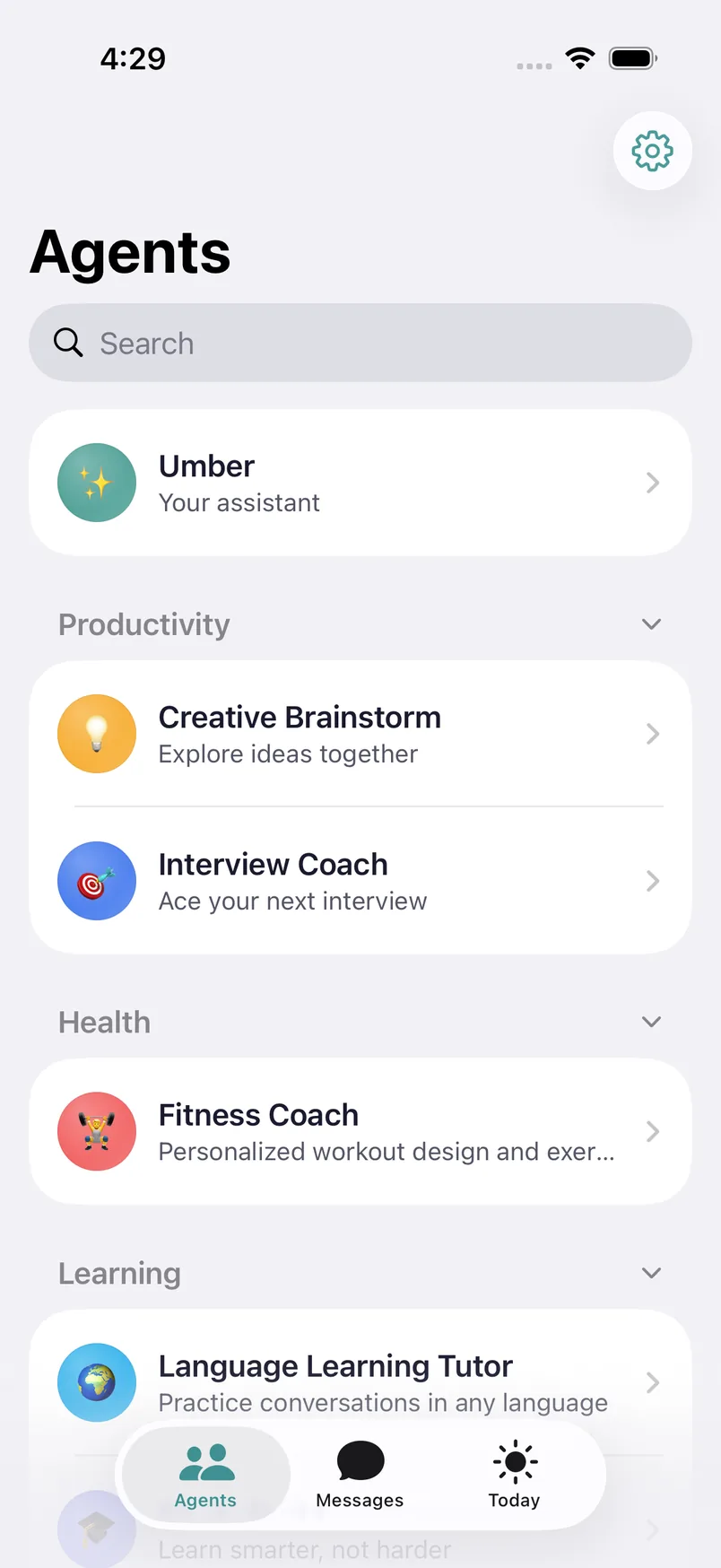
Your contactsUmber first, for anything at all. Specialists when you know who you need.
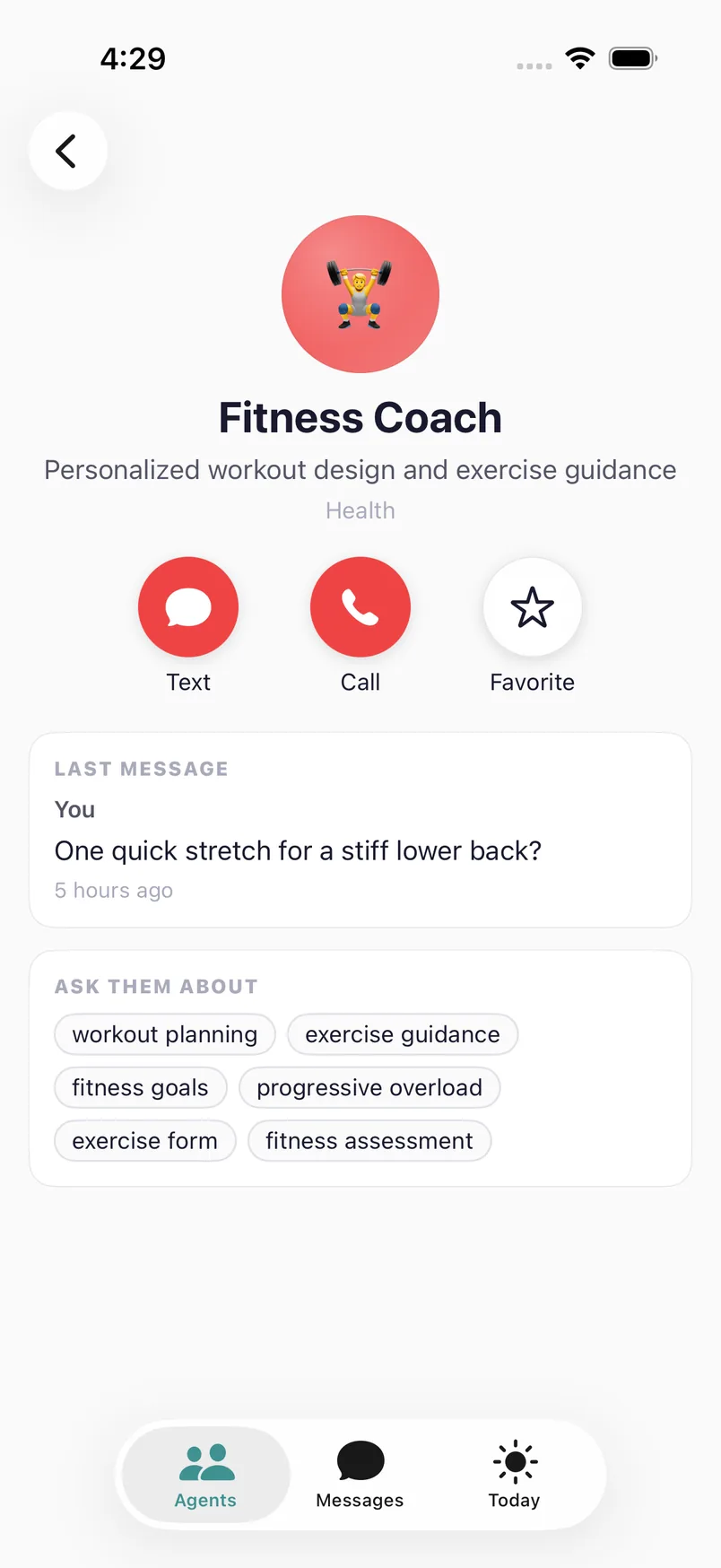
Text or callThe two buttons your phone puts under a friend's name. Tap a topic to start.
“Move my two o'clock and text Sam the sitter's number.”
Done — you're at 3:30 now, and Sam has the number. Want me to hold the 3:30 if traffic's bad?
CallHands on the wheel, head somewhere else. Say it out loud and it's handled the same way — from the watch or the car, too. Screen drawn from the app's call view.
One system
One Umber, everywhere you are.
Phone, watch, laptop, the car — not separate apps that happen to share a login. There is one Umber underneath, with one memory, and it picks up exactly where you left off. Each screen gets the right amount of it: a word on the watch, a voice in the car, the whole picture on the laptop.
A tap and a sentence on the way out the door.
“Move the dentist to Thursday.”
Done — Thursday 3:40. Sam knows.
Voice only. It already knows which dentist.
The one decision of the day, at pickup.
The whole day, and the memory behind it.
Device views drawn from the app. Same thread, same memory, on each.
✦One account, one memory
What you tell any screen, every screen knows. There is nothing to sync and nothing to re-explain.
✦Start anywhere, finish anywhere
Say it to your wrist, approve it on your phone, read the whole thread on the laptop that night.
✦The right amount per screen
A word on the watch, a voice in the car, cards on the phone, the full picture on the desktop. Never a dashboard where a sentence will do.
Side by side, not a chat window
A chatbot answers questions. Umber does the work.
Most of what Umber sends you isn't a reply — it's a report. It works in the background of your day, across your email, calendar, lists and the sites you'd rather not log into, and texts you when something's done or needs a decision.
- Total
- $142.18
- Arrives
- Today, 5–6 pm
- Left out
- Anything with dairy (Ella) or nuts (Sam)
This lets Umber place the order on your behalf. Nothing is charged until you approve.
Nothing irreversible without your Yes.Orders, sends, submissions — Umber gets to the last step and waits for you.
Memory
It remembers everything. Instantly.
Say something once and it's kept — the list from two years ago, the sitter's number, the pattern you used for the baby blanket. You never dig through Notes again, and every specialist knows what you told the others. That memory is also what lets Umber do things for you without asking twenty questions first.
Under a second. No scrolling, no "where did I put that."
Say it once. You told Umber. The Tour Guide already knew.
Memory is what makes the work possible. It can act for you because it already knows the details.
Open the drawer any time. What I remember lists every memory with the exact line it came from. Confirm it, correct it, or delete it — any of it, or all of it, for good.
Your inbox, handled.
The mental load arrives by email: the bill, the school notice, the appointment confirmation, the "reply by Friday." Umber reads the forty and does the two — and asks you before anything sends.
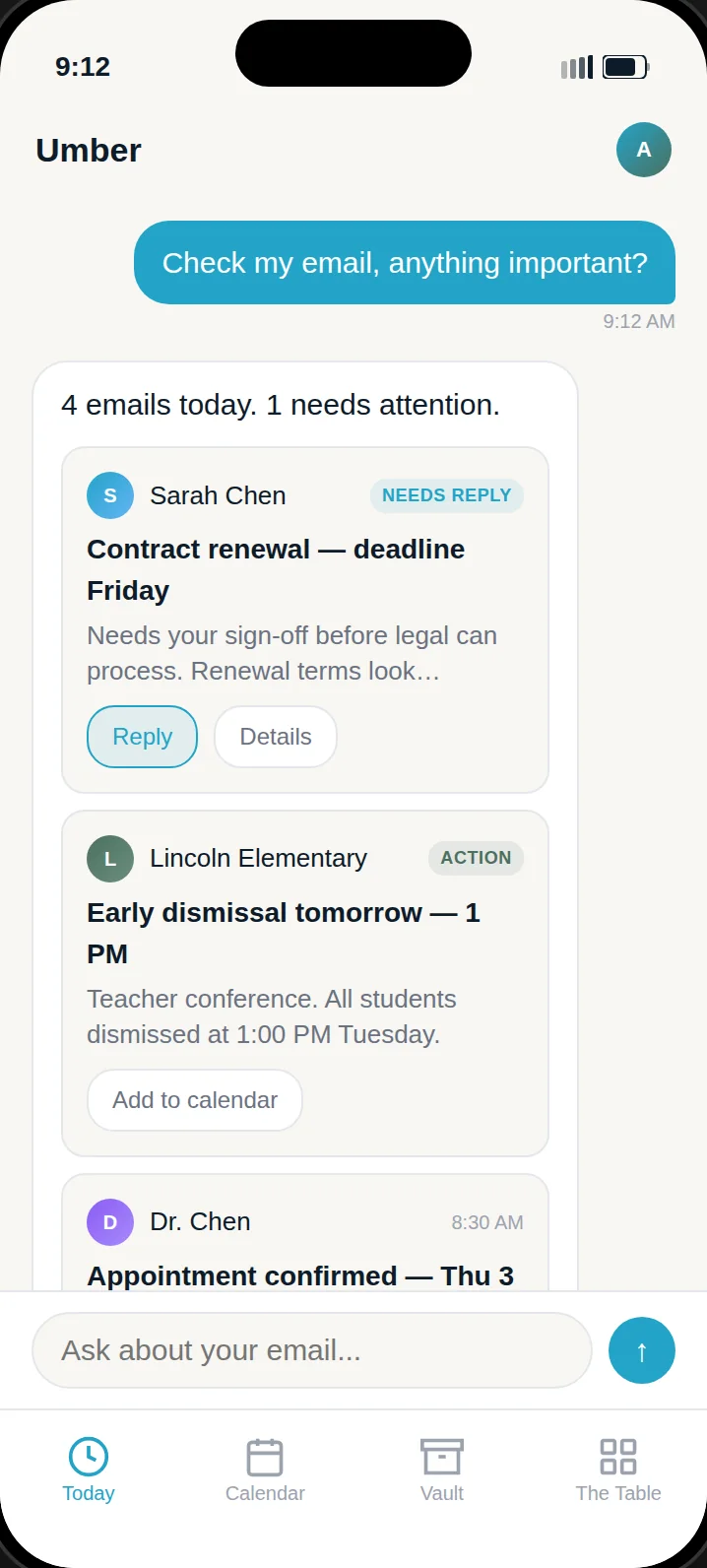
Design preview"Check my email — anything important?"Four today. One needs you.
-
Sorts the forty
Bills, packages, appointments, school, newsletters — it knows which is which, and which one is actually for you.
"Two from school, one bill due the 30th, the rest can wait." -
Pulls out what matters
The date, the amount, the deadline — lifted out of the message and onto your calendar or your list.
"Orthodontist confirmed Thu 3:40 — added. Parking note kept." -
Replies in your voice
Drafts the answer the way you'd write it, shows you, and sends only when you say so. Archives what's done.
"Reply to the coach: yes, both weekends work." → drafted → sent on your Yes -
Remembers what it did
"That email you sent Tuesday" means something to it. Who sends the bills, who sends the packages — it keeps track.
"Who sends the water bill?" → "Sandy Springs Utilities, around the 12th."
Open-ended
Ask it about anything. It keeps growing.
The 5k plan, the exam next week, the trip in October, the interview on Thursday — behind Umber is a growing cast of specialists, each with the same memory of you. New ones show up in your contacts on their own.
Seven specialists in the beta today, and Umber itself for the rest. The next ones — dinner, the home, the garden, the pets — arrive in your contacts without an update.
Built by us today. Soon, by anyone.
Describe the helper you wish you had. Umber interviews you, finds what it needs to know, and a new contact appears in your list.
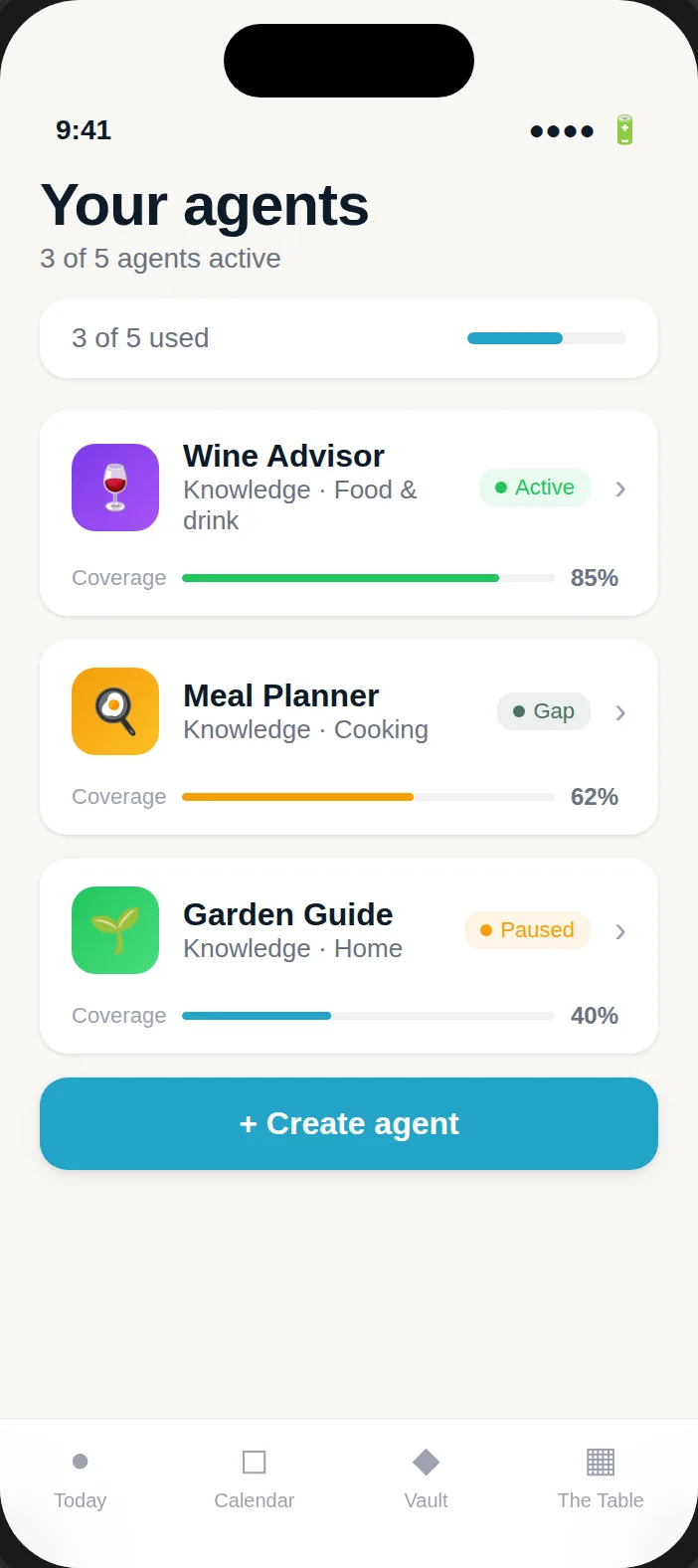
Every specialist is a contact.Text, call, favorite. Tap a topic to start.
Coming next
One Umber for the whole household.
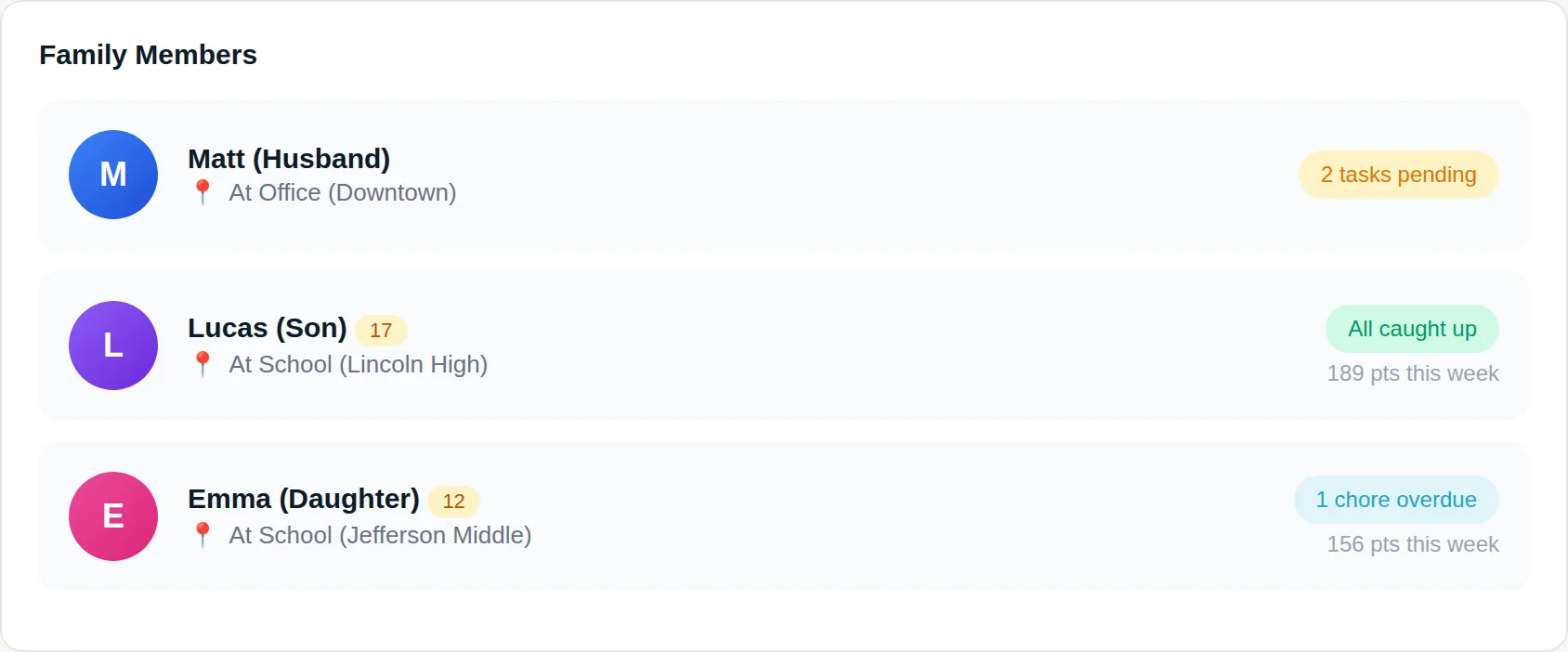
Shared family memory is next: one assistant that knows who has practice, whose form is due and what's in the fridge — and answers each of you like it's yours. Beta members get it first.
Why Umber
It works for you. No one else.
Technology promised to save us time — then handed us more to manage. We're building the opposite: an assistant that takes work off your plate, keeps what it learns to itself, and answers only to you.
-
✓
It asks before it acts
Anything that spends money, sends a message or submits a form stops for your approval. You'll see exactly what it's about to do.
-
✓
Your data is not the product
No ads, no selling, no sharing. Umber makes money one way: when it's useful enough that you keep it.
-
✓
Private by design
What Umber learns about your family stays yours. See every memory, correct any of them, and delete everything, permanently, with one tap.
-
✓
Built for households, not enterprises
No seat licenses, no dashboards for your boss. This is software for your actual life.
Questions
Fair things to ask
Does it do things without asking me? +
Can I really call it? +
What does it remember, and can I see it? +
Where does Umber live? +
When can I get in? +
What does it cost? +
What does Umber connect to? +
Get your head back.
Join the waitlist — we'll hold your place and email you when it's your turn.
You're on the list. We'll email you the moment a seat opens up.
Have an invite? Sign in →